How Eye-Tracking Fatigue Secretly Destroys Your Back Posture
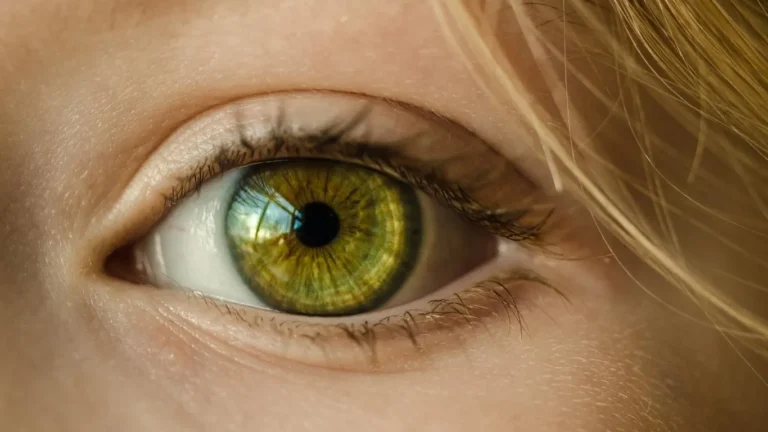
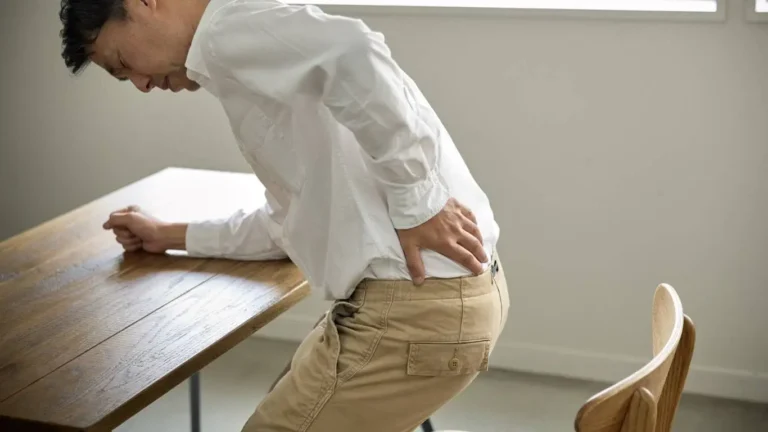
Ever noticed how hours of staring at screens silently wrecks your posture? I didn’t until my neck and back started protesting after long workdays. Turns out, it wasn’t just “bad posture” — it was something deeper: eye-tracking fatigue. It sounds fancy, but it’s actually the hidden villain behind those subtle slouches, neck cranes, and the eventual back pain that sneaks up on you. Let’s unpack how your eyes and spine are in a constant tug of war and what you can do to stay aligned and pain-free.
What is Eye-Tracking Fatigue and Why It Ruins Your Posture?

When you spend hours tracking small text, shifting focus between multiple monitors, or squinting at your smartphone, your ocular muscles get tired. But here’s the kicker: your body compensates by adjusting head and neck posture to ease the visual strain. This compensation often triggers a forward head posture, rounded shoulders, and — you guessed it — chronic back discomfort.
It’s not about “bad habits.” It’s a physiological reaction. Eye-tracking fatigue shifts the alignment of your cervical spine, which cascades down to lumbar misalignments. From my own experience, once my focus locked onto spreadsheets or tiny UI elements, I unconsciously leaned in, neck strained, and my lower back bore the brunt.
The Posture Domino Effect: From Eyes to Spine

How Eye Fatigue Triggers Postural Imbalances
- Forward Head Tilt: Constant screen glancing forces your head to lean forward, increasing cervical spine load.
- Rounded Shoulders: The natural reaction to visual strain is to “turtle” into the screen, collapsing shoulder posture.
- Lumbar Flattening: As the upper body slouches, your lower back loses its natural arch, leading to strain.
This postural shift doesn’t just cause discomfort. Over time, it can escalate to conditions like lumbar radiculopathy or persistent thoracic tension. What’s alarming is how subtle the onset is — you won’t even realize until stiffness becomes a daily guest.
Visual Strain Multiplied: Multi-Monitor Setups & Mobile Devices
In today’s hybrid work life, many of us juggle between laptops, tablets, and phones. Each device introduces a different viewing angle, forcing constant neck micro-adjustments. For me, managing dual monitors was a game changer for productivity — but also for my back pain. Studies have shown that visual load directly correlates with postural compensation.
How to Counter Eye-Tracking Fatigue Before It Wrecks Your Spine

1. Screen Ergonomics: Your First Line of Defense
- Monitor Height: Align the top of your screen with eye level to minimize downward head tilt.
- Viewing Distance: Maintain at least 20-24 inches between your eyes and the screen.
- Screen Tilt: Slight backward tilt (10-20 degrees) reduces neck flexion strain.
These simple tweaks were transformative in my workspace. Once I adjusted my monitor to avoid looking down, my neck tension reduced significantly.
2. Combatting Visual Strain with Micro-Breaks
The 20-20-20 rule is no gimmick. Every 20 minutes, look at something 20 feet away for 20 seconds. This relaxes your ocular muscles, disrupting the feedback loop that triggers compensatory posture shifts. Additionally, integrating desk stretches into your routine can reset your spinal alignment.
3. Blue Light and Contrast Adjustments
Overexposure to blue light doesn’t just affect sleep; it amplifies visual fatigue, worsening your posture reflexively. Adjust screen brightness, use contrast filters, and avoid high-glare environments. I personally started using a matte screen protector, and it made a massive difference in reducing eye strain.
The Overlooked Connection: Eye Fatigue and Lower Back Pain

While most discussions focus on neck and shoulder tension, few realize how eye fatigue impacts lower back health. As your upper body leans forward, your pelvis tilts posteriorly, flattening the lumbar curve. This biomechanical chain reaction leads to chronic lumbar strain. If you’re experiencing persistent discomfort from prolonged sitting, chances are your eye-tracking habits are partly to blame.
Integrating ergonomic seating solutions is essential. Using a chair that supports the natural lumbar curve is crucial. Check out our in-depth guide on ergonomic chairs that actually relieve back pain.
Visual Ergonomics: A Holistic Approach to Spine Health
It’s no longer enough to adjust only your chair or desk. Your visual environment plays a pivotal role in spinal health. This is why addressing eye-tracking fatigue should be an integral part of any ergonomics and rehabilitation program. The link between ocular strain and postural compensation is scientifically validated, yet often ignored in mainstream solutions.
For a comprehensive understanding of how back pain impacts your lifestyle, visit our Back Pain Main Resource Center. Don’t miss the essential insights on symptoms and diagnostic strategies to address posture-induced discomfort early.
Advanced Strategies to Reset Eye-Spine Coordination

Once I became aware of how my screen habits were sabotaging my posture, I had to go beyond basic ergonomics. Resetting the natural eye-spine connection requires retraining how your body responds to visual tasks. The key is deliberate neuromuscular re-education — not just “sitting up straight.”
1. Eye Movement Drills to Break Postural Compensation
These drills sound simple but are incredibly effective in realigning posture:
- Horizontal Tracking: Sit upright, hold your thumb at arm’s length, and slowly move it side to side while keeping your head still. 10 reps per set.
- Vertical Gaze Shifts: Same setup, but move your thumb up and down, ensuring your neck doesn’t tilt.
- Near-Far Focus Drills: Switch focus between your thumb and a distant object, 10 reps. This resets ocular accommodation reflexes.
I started incorporating these micro-exercises during coffee breaks, and not only did my visual fatigue decrease, but my posture felt naturally upright without forcing it.
2. Nerve Flossing and Spinal Mobility
Eye strain-induced posture isn’t just about muscles — it can entrap neural pathways. Techniques like nerve flossing can alleviate tension in the spine, especially in the cervical-thoracic junction where eye tracking exerts the most influence.
Ergonomic Tech Tools That Enhance Eye-Spine Alignment

It’s 2025 — there’s tech for everything, including maintaining healthy posture while working. Investing in the right tools can amplify your efforts:
Smart Posture Monitors
- AI posture trackers clip onto your shirt and provide real-time feedback when you start slouching due to eye fatigue.
- Some even integrate with apps that gamify posture correction through subtle haptic alerts.
Height Adjustable Standing Desks
Alternating between sitting and standing isn’t just a trend. It actively reduces continuous visual focal strain. I found that after transitioning to a standing desk, my head-forward tendency during screen work significantly lessened. Curious? Explore how standing desks improve back health.
Blue Light Filtering Glasses
Though software filters help, nothing beats a quality pair of blue light glasses for reducing ocular strain. This directly lessens postural compensations during prolonged digital tasks.
Corrective Exercise Flows to Combat Visual-Induced Back Pain

Fixing posture isn’t a static correction; it’s dynamic. Incorporating specific flows into your daily movement routine is critical.
1. Thoracic Extension Sequences
- Foam Roller Extensions: Lay a foam roller horizontally across your mid-back, gently extend over it for 10-12 reps.
- Wall Angels: With your back flat against the wall, slowly glide your arms up and down, keeping contact.
2. Cervical Retraction Movements
Commonly called “chin tucks,” but it’s more than that. The goal is to align your cervical spine in a neutral position after forward head shifts.
- Stand against a wall, gently glide your head back to touch the wall.
- Hold for 5 seconds, repeat 10 times.
3. Integrated Breathwork for Spinal Stability
Breathing from the diaphragm is pivotal in maintaining spinal stability. Deep core engagement through proper breathing can reset tension patterns caused by visual strain. Learn effective breathing techniques for spinal alignment that can be done even at your desk.
Why Ignoring Eye Fatigue Leads to Chronic Back Dysfunction

Neglecting the eye-posture link doesn’t just cause discomfort; it can evolve into chronic dysfunctions. Studies indicate that persistent ocular strain can result in proprioceptive deficits — meaning your body “forgets” what good posture feels like. This opens the door to conditions like facet joint syndrome and thoracolumbar stiffness.
On a personal note, after months of ignoring my creeping discomfort, a sudden bout of vertigo from neck tension was the wake-up call I needed. Correcting my visual habits was non-negotiable after that episode.
Bringing It All Together with an Eye-Posture Rehab Plan
Your rehab plan should integrate:
- Ergonomic adjustments to minimize visual strain triggers.
- Eye tracking drills to reset neuromuscular patterns.
- Corrective spinal exercises for posture endurance.
- Breathwork integration for sustained core support.
Our comprehensive guide on exercise rehabilitation and ergonomics dives deeper into structuring a routine tailored for visual-induced postural issues.
For a broader understanding of how posture, ergonomics, and daily habits intertwine in back pain management, explore the master resource on Back Pain Strategies.

Camellia Wulansari is a dedicated Medical Assistant at a local clinic and a passionate health writer at Healthusias.com. With years of hands-on experience in patient care and a deep interest in preventive medicine, she bridges the gap between clinical knowledge and accessible health information. Camellia specializes in writing about digestive health, chronic conditions like GERD and hypertension, respiratory issues, and autoimmune diseases, aiming to empower readers with practical, easy-to-understand insights. When she’s not assisting patients or writing, you’ll find her enjoying quiet mornings with coffee and a medical journal in hand—or jamming to her favorite metal band, Lamb of God.