How To Prevent Headaches From Zoom Meetings Effectively
So, here’s something I never thought I’d be Googling: why do Zoom meetings give me a headache? If you’ve been wondering the same, trust me—you’re not alone. I thought I was just tired or dehydrated until I started noticing the pattern. Two, sometimes three virtual calls a day, and boom—instant pressure behind my eyes. It’s more than annoying; it’s disruptive. So let’s talk about what’s really happening when that post-Zoom throb kicks in, and more importantly, how to stop it from ruining your day.
Why Zoom Meetings Are Triggering Headaches

First off, let’s acknowledge the obvious: Zoom fatigue is real. But it’s not just about being tired. It’s about screen time, posture, lighting, mental strain, and sometimes even background noise. These headaches aren’t random—they’re a perfect storm of modern work-life imbalance.
Eye Strain is a Major Culprit
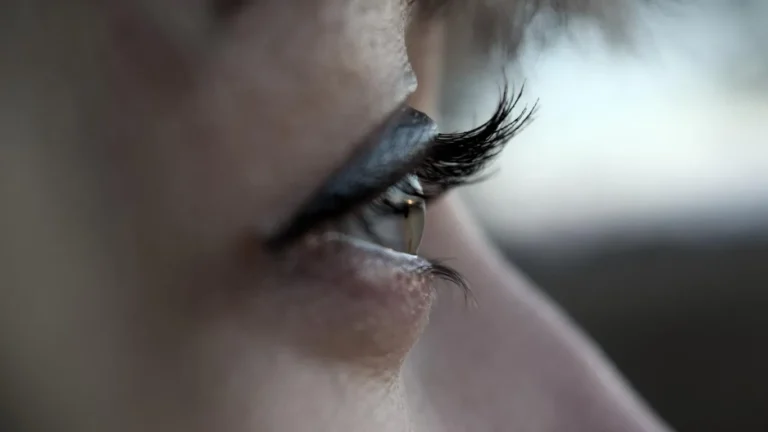
Ever stared at your screen too long and felt your eyes burn or water? That’s eye strain, and it’s a top contributor to Zoom-related headaches. When we’re on camera, we blink less—literally. Less blinking means dry eyes, tension, and eventual pain behind your forehead and temples.
Blue Light is Wreaking Havoc
All our devices emit blue light, which can mess with our natural sleep cycles and irritate the optic nerves. That’s why many people, including myself, now swear by blue light glasses. They don’t solve everything, but they’ve helped reduce that sharp, stabbing sensation I used to get by 4 PM.
Posture? Yep, That Matters Too
This one hit me hard—literally. I used to hunch over my laptop like a gargoyle. Turns out, poor posture can lead to neck strain and tension headaches. When your upper back and shoulders are tight, that tension creeps up into your head and stays there. It’s basically your body begging for better ergonomics.
Common Symptoms of Zoom-Induced Headaches

- Pressure behind the eyes
- Throbbing temples
- Neck stiffness
- Light and sound sensitivity
- Tension around the scalp and forehead
Sometimes, these symptoms mimic the early stages of a migraine. According to the migraine warning signs guide, things like sensitivity to light or blurred vision can pop up even if you’re not technically having a full-blown migraine.
Tips I Personally Use to Prevent Zoom Headaches

After some trial, error, and way too many painkillers, I’ve built a routine that significantly reduced my Zoom-induced headaches. Everyone’s different, but here’s what worked for me:
- Follow the 20-20-20 Rule: Every 20 minutes, look at something 20 feet away for at least 20 seconds. Sounds silly, but it works.
- Upgrade your chair and screen setup: Raise your monitor to eye level. Your neck will thank you.
- Use natural light when possible: Overhead fluorescent lights are brutal.
- Stay hydrated: Dehydration is a sneaky trigger. I keep a big water bottle next to my desk and aim to refill it twice a day.
- Cut down unnecessary meetings: Sometimes the best solution is just fewer Zoom calls. Period.
More tips on posture and screen setup are available in our migraine tools and devices article. Seriously, it’s a goldmine if you’re setting up a home office or trying to make your current one less headache-inducing.
When a Headache Might Be Something More

Sometimes, what feels like a simple Zoom headache could be an early indicator of a deeper issue—like chronic migraines or even tension headaches masking as migraines. The lines blur, especially when symptoms become frequent or severe.
It’s worth tracking your patterns using a simple headache diary. I started jotting down when they hit, how long they lasted, and what I ate or did that day. Over time, I noticed trends—and so did my doctor. If you’re feeling lost, here’s a solid resource: migraine diary guide.
How This Fits into the Bigger Picture of Headache Prevention

Headaches from Zoom meetings aren’t just a “Zoom” problem. They’re a modern health issue tied to screen time, work stress, and lifestyle. If you’re someone who already has a sleep disorder or high anxiety levels, you’re likely more prone to these headaches.
For a deeper dive into treating and preventing various types of migraines and headaches, the migraine prevention guide is a fantastic resource. And if you want the full picture on this topic, check out the main migraine and headaches hub on Healthusias—it connects all the dots.
Oh, and don’t let anyone tell you it’s “just a headache.” If it’s interfering with your day-to-day, it matters. Whether it’s lighting adjustments or screen breaks, small tweaks can add up to big relief.
Advanced Strategies to Beat Zoom-Triggered Headaches

Let’s get into the nitty-gritty—because the basic advice (like “take breaks” or “drink water”) only gets you so far. I’ve tried nearly everything short of chanting with crystals to keep my head clear during back-to-back Zoom marathons. Some things stuck. Others, not so much. But here’s what truly helped when the usual tricks didn’t cut it.
Try Specialized Wearable Tech
If you’ve never heard of devices like Nerivio or Cefaly, you’re in for a game-changer. These aren’t gimmicks—they’re FDA-cleared devices designed for migraine management, and I was skeptical at first. But the results? Noticeable. The stimulation from these devices can reduce both intensity and frequency, especially for chronic Zoomers like us.
Revisit Your Lighting Setup
This one took me way too long to figure out. I used to rely on a ceiling light directly above my desk. Turns out, harsh overhead lighting creates glare on your screen and strains your eyes. Now, I use a combo of soft natural light and indirect desk lamps, and I rarely get that sharp temple pinch anymore. Also, flickering bulbs? Silent headache assassins. Swap them.
Adjust Audio Settings and Noise
Too much background noise on Zoom can sneakily stress your brain. And if you’re constantly straining to hear someone over static or poor mic quality, that low-level tension can snowball into pain. Consider using noise-reducing earbuds or even audio filters in your Zoom settings to reduce auditory clutter. Game. Changer.
Nutrition That Supports Headache Prevention

I used to live on coffee and crackers during the workday. Big mistake. Turns out, skipping meals or eating sugar-loaded snacks contributes to my Zoom headaches more than I realized. Stabilizing your blood sugar and hydration levels is critical. Here’s a basic, no-stress list of what to keep nearby during long workdays:
- Magnesium-rich snacks – Almonds, pumpkin seeds, dark chocolate
- Complex carbs – Oat-based bars, whole-grain crackers
- Hydration boosters – Coconut water, lemon-infused water
I also take magnesium supplements now, especially on heavy call days. My neurologist recommended it, and it made more of a difference than I expected.
Build a Headache-Friendly Zoom Routine

One of the best things I ever did was give myself a pre-Zoom ritual. I used to launch into calls frazzled, jumping from emails to meetings without a pause. Now, before every important call, I take five minutes. Sometimes I stretch, sometimes I just close my eyes and breathe. This tiny window makes a big mental reset—and yes, it helped cut down my stress-induced headaches.
And if you haven’t tried yoga for migraine relief, give it a shot. Just five minutes of shoulder and neck movement can relieve built-up tension.
Control Meeting Frequency
Not everything needs to be a Zoom. Some things can be solved in Slack. I now batch calls into just two days a week. The other days are for focus time—and fewer headaches. Trust me, this has productivity and health benefits.
Could Zoom Be Unmasking an Underlying Migraine Condition?

Here’s something I wish more people talked about: virtual meetings might not be the root cause of your headaches—they might be exposing an underlying migraine condition. If your headaches follow a pattern, come with light sensitivity, or leave you wiped out afterward, they might be more than just tension. Look at this complete breakdown of what a migraine really is.
Zoom isn’t creating migraines from nowhere—but it can absolutely be a trigger for those already predisposed. That’s why identifying your specific type matters. For instance, I learned I lean toward vestibular migraines, which explained why I sometimes felt dizzy and unfocused during long calls.
Get Professional Support If Headaches Persist

If you’ve done all the things—hydrated, adjusted your lighting, rearranged your desk—and you’re still battling frequent Zoom headaches, talk to someone. Seriously. You might benefit from seeing a neurologist specializing in migraines or even a behavioral health expert who can help address stress-related triggers.
There’s also a case for exploring treatments like Botox injections or CGRP inhibitors if your migraines are debilitating. These aren’t just for “extreme cases”—they’re evidence-based options that help real people.
Explore the Full Scope of Headache Prevention

If you’re serious about managing your triggers beyond Zoom meetings, check out the comprehensive migraine treatment guide. It covers both medical and natural options. And of course, our full migraines and headaches resource hub pulls it all together, from triggers to prevention and treatment tools.
Honestly, navigating headaches in the Zoom era is a learning curve. But once you start tuning in to what your body’s trying to tell you—and tweak your environment accordingly—it gets better. At least it did for me.
And if your gut says something’s not right, trust it. Your brain deserves more than just pushing through the pain. You’re not being dramatic. You’re being smart.

Bianca Nala is a compassionate Nurse Practitioner with a strong background in primary and respiratory care. As a health writer for Healthusias.com, she combines her clinical expertise with a talent for clear, relatable storytelling to help readers better understand their health. Bianca focuses on topics like asthma, COPD, chronic cough, and overall lung health, aiming to simplify complex medical topics without losing accuracy. Whether she’s treating patients or writing articles, Bianca is driven by a single goal: making quality healthcare knowledge accessible to everyone.